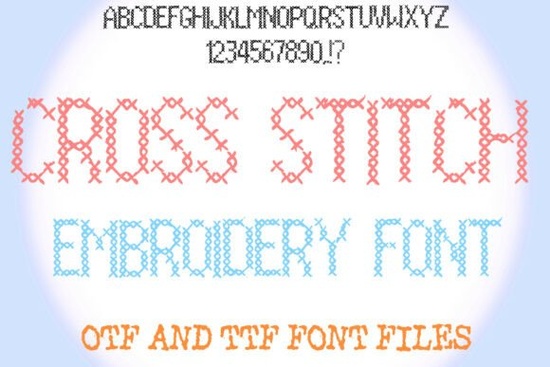
If you're looking for a font that brings handmade charm to your digital projects, the Cross Stitch Embroidery Font is a great choice. It mimics the look of hand-stitched lettering, making it perfect for crafters, small business owners, and anyone who loves vintage or quirky design styles. Whether you're creating custom greeting cards, print-on-demand products, or personal embroidery patterns, this font adds warmth and character to any project.
What makes this font stand out?
This isn’t just another decorative typeface it’s designed with real craft vibes in mind. The Cross Stitch Embroidery Font captures the slightly uneven, stitched appearance of traditional embroidery, giving your text a tactile, handmade feel. Each letter has subtle imperfections that make it look like it was stitched by hand, which works especially well when used in designs meant to feel personal or nostalgic.
You can use it for anything from baby shower invites to wall art, mugs, T-shirts, or even embroidered patches. The font supports full ABC text, so you’re not limited to single words build entire phrases, names, quotes, or messages with ease. And because it's a vector font, it scales perfectly without losing quality.
How to use it in your creative work
One of the best parts? You can color each stitch individually if your software allows it (like in Adobe Illustrator or Procreate). This lets you match the font to your brand colors, seasonal themes, or mood boards. Try pairing pastel shades for spring, bold reds and greens for holiday designs, or monochrome tones for minimalist layouts.
- Use it for personalized gifts like tote bags or aprons.
- Create unique wedding or baby shower invitations with a rustic touch.
- Design printable embroidery patterns for hobbyists who love cross-stitch.
- Add flair to social media graphics, blog headers, or e-commerce product titles.
It also pairs well with other fonts in your toolkit. For example, try combining it with a clean sans-serif for balance, or layer it over textured backgrounds for added depth.
Why crafters and designers love this style
There’s something comforting about handwritten-style typography that feels like it was made with care. The Cross Stitch Embroidery Font taps into that feeling ideal for creators who want to add authenticity to their work. It’s not overly polished, which is exactly what gives it personality.
Many users find it especially useful when working on themed projects. If you’re designing for a craft-focused Etsy shop, a home decor brand, or a lifestyle blog, this font fits right in. It also complements other hand-drawn or folk-inspired elements like floral borders, doodles, or brush strokes.
Where else can you use similar styles?
If you enjoy this font, you might also like exploring other decorative fonts with a handmade aesthetic. For instance:
- Daisyfolk Font offers a whimsical, nature-inspired vibe perfect for garden-themed designs.
- Fairy Font brings a magical touch, ideal for enchanted stories or fantasy art.
- Circle Font features soft, rounded shapes that feel gentle and modern.
- Soccer Font adds playful energy great for sports events or team merch.
Each of these fonts shares a common thread: they bring emotion and story to text, helping your audience connect with your message on a deeper level.
For those curious about how this font compares to others, check out the original Cross Stitch Embroidery Font on Creative Fabrica to see it in action and explore licensing options.
Final thoughts: Is this font right for you?
If you value authenticity, creativity, and a little bit of quirkiness in your designs, yes this font is worth adding to your collection. It’s not flashy, but it’s thoughtful. It doesn’t shout, but it stays memorable.
Whether you're a seasoned designer or just starting out, the Cross Stitch Embroidery Font gives you the tools to create meaningful, visually engaging content with minimal effort.
Quick checklist before you start:
- Download the font file (OTF/TTF) and install it on your computer.
- Open your design software and select the font.
- Type your text and experiment with different colors per stitch (if supported).
- Test it at various sizes to ensure legibility.
- Save a version with transparent background for digital use.
Now you’re ready to stitch your next idea into reality digitally, of course.
Try It Free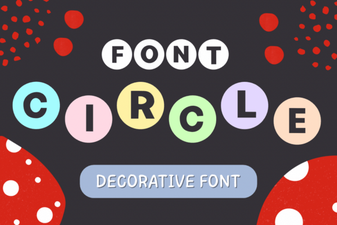 Creative Circle Font Design Ideas for Your Projects
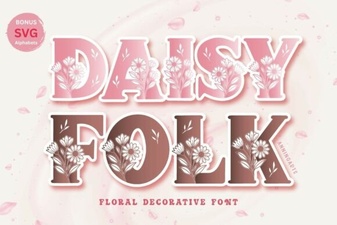 Daisyfolk Font: Creative Typography for Unique Projects
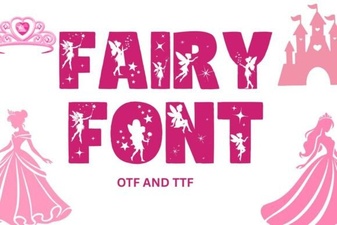 Fairy Font: Whimsical Typography for Creative Projects
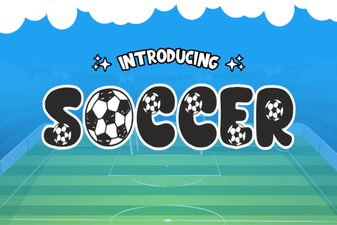 Creative Soccer Font Designs for Sports Projects
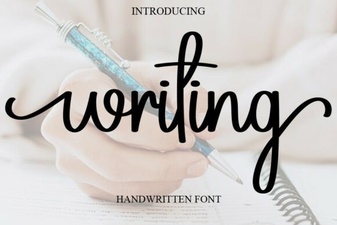 Creative Writing Font Ideas for Unique Projects
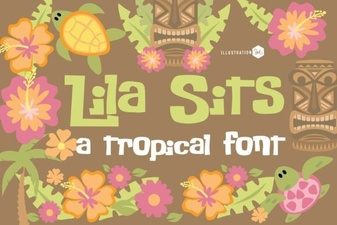 Pn Lila Sits Fn Font Design and Project Ideas