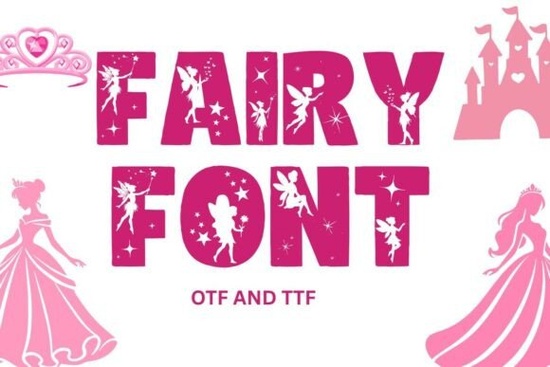
If you're looking for a decorative font that brings a touch of magic to your projects, Fairy Font is a great choice. It’s perfect for anyone who loves whimsical, fantasy-inspired designs whether you’re making greeting cards, custom apparel, or digital artwork. The font has a delicate, enchanting feel that works well in both bold headlines and playful text elements.
What makes Fairy Font special?
Fairy Font stands out because of its soft, hand-drawn charm and clean vector lines. Each letter is carefully crafted to feel like it belongs in a storybook or enchanted forest. The design focuses on uppercase letters A–Z and numbers 0–9, giving your text a strong, stylized look without clutter.
Because it uses crisp vector outlines, the font stays sharp and clear at any size ideal for printing or screen use. You can use it on light backgrounds for a dreamy effect or on dark surfaces to make your text pop. No matter the setting, it holds up well without pixelation or blurriness.
Where can you use Fairy Font?
This font fits many creative needs. Crafters love it for embroidery designs, especially when paired with floral or magical themes. Print-on-demand sellers often use it for t-shirts, mugs, and tote bags with fairy-themed messages. Designers also find it useful for social media graphics, invitations, and branding elements where a touch of whimsy helps stand out.
It works across popular tools like Canva (just upload it), Cricut Design Space, Silhouette Studio (especially the Business Edition), Photoshop, Illustrator, Affinity Designer, and even Procreate via compatible apps. That means you don’t need to switch software just to use this font.
What’s included and what’s not?
- Includes: Uppercase A–Z letters, numbers 0–9
- Does not include: Lowercase letters, punctuation marks, or special accents
This limitation means it’s best used for short phrases, titles, or standalone words. For example, “FAIRY MAGIC,” “ENCHANTED,” or “DREAM WALKER” all work beautifully. If you need full sentence support, you might want to pair it with a simpler font for body text.
How to get started with Fairy Font
Installation is straightforward. Download the file from Creative Fabrica, unzip it, and install the font on your computer. Most operating systems handle this process automatically. Once installed, you’ll see it listed in your design programs.
For users of Canva, simply go to the “Uploads” section, add the font file, and start using it in your templates. Cricut and Silhouette users can import it directly into their design software for cutting projects.
If you’re exploring other fonts with similar vibes, you might enjoy Daisyfolk Font, which shares a gentle, nature-inspired feel. Or check out Circle Font if you prefer rounded, soft shapes. For more detailed designs, Cross Stitch Embroidery Font offers a classic stitch-style look. And if you’re into sporty themes, Soccer Font delivers a fun twist for team branding.
Looking for something truly unique? Try Fairy Font it’s one of those small details that can transform a simple project into something memorable.
Final tips before you begin
- Always test your design on both light and dark backgrounds to ensure readability.
- Use it sparingly for maximum impact pair it with simpler fonts for balance.
- Keep your design consistent: if you’re going for a fairy theme, match the font with matching illustrations or colors.
- Remember, it only includes uppercase letters and numbers plan your text accordingly.
Now that you know how to use Fairy Font effectively, try it on your next craft idea or digital layout. With just a few clicks, you can bring a little magic to your creations.
Download Now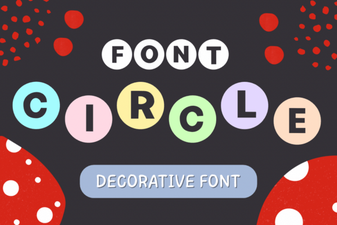 Creative Circle Font Design Ideas for Your Projects
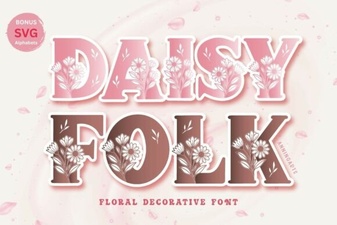 Daisyfolk Font: Creative Typography for Unique Projects
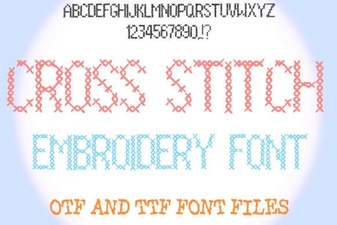 Creative Cross Stitch Embroidery Font Designs for Craft Projects
 Creative Soccer Font Designs for Sports Projects
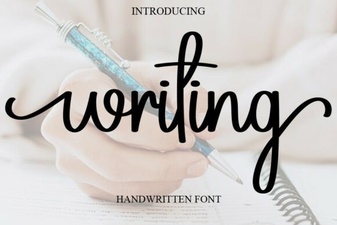 Creative Writing Font Ideas for Unique Projects
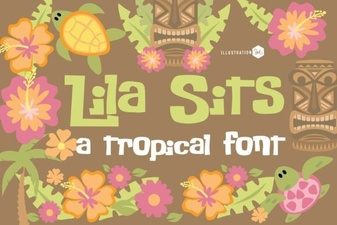 Pn Lila Sits Fn Font Design and Project Ideas