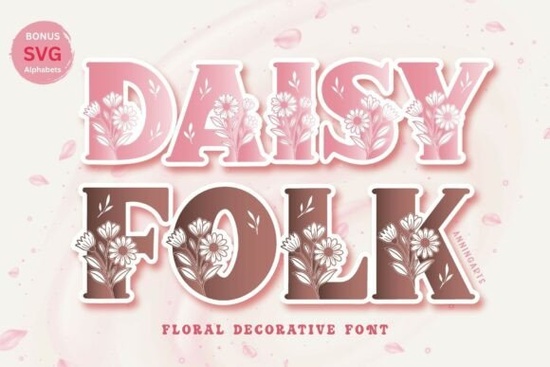
If you're looking for a soft, floral-inspired font that adds a touch of whimsy to your spring designs, Daisyfolk Font is a great choice. It’s perfect for wedding invitations, greeting cards, scrapbooking, and all kinds of handmade projects. The font features charming daisy illustrations woven into each letter, giving it a natural, boho feel that feels fresh and timeless.
What makes Daisyfolk Font special?
Unlike standard fonts, Daisyfolk combines decorative lettering with subtle floral details each uppercase A–Z and 0–9 includes delicate daisies subtly embedded in the design. It’s ideal for anyone who loves a gentle, romantic aesthetic. Whether you’re creating digital art or printing physical crafts, this font brings a light, cheerful energy to your work.
The file package includes both OTF and SVG formats, so you can use it across different platforms. If you’re using Cricut machines, Procreate, Adobe Illustrator, or Canva, Daisyfolk works smoothly with all of them. The SVG version is especially helpful if you want to cut out letters with precision or resize without losing quality.
Where can you use Daisyfolk Font?
- Wedding stationery – Perfect for save-the-dates, menus, and table numbers.
- Greeting cards – Add a personal, handcrafted touch to birthday, thank-you, or seasonal cards.
- Craft projects – Great for scrapbook layouts, stickers, and printable wall art.
- Print-on-demand items – Use it on mugs, tote bags, and notebooks for a cottage-core vibe.
- Spring and seasonal designs – Ideal for Easter, Mother’s Day, or garden-themed content.
You’ll also get a bonus SVG alphabet included this means you can mix and match individual letters easily, which is super handy when customizing text for social media graphics or product mockups.
How does it compare to other decorative fonts?
If you’ve explored similar styles like fairy-themed or circle-shaped fonts, you might appreciate how Daisyfolk stands out. While fairy fonts often lean magical and whimsical, and circle fonts emphasize rounded shapes, Daisyfolk focuses on nature and simplicity. Its daisy motifs give it a grounded, organic feel more “spring garden” than “enchanted forest.”
It’s not as bold or dramatic as some sports-themed fonts, but that’s part of its charm. This font isn’t about loud statements it’s about quiet elegance and thoughtful detail. If you love a soft, natural look, it fits right in with other creative tools like cross-stitch embroidery fonts.
Why designers and crafters are choosing Daisyfolk
Many users appreciate how easy it is to use. No complex setup or extra plugins needed. Just download, install, and start designing. The clean, consistent style means your projects stay cohesive even when mixing text with images or patterns.
For small businesses and print-on-demand sellers, having a unique yet versatile font helps stand out. You can apply Daisyfolk to multiple products without needing dozens of different styles. And because it’s available in SVG, it integrates well with cutting machines great for making custom vinyl decals or paper stencils.
Looking for more inspiration? Try pairing Daisyfolk with pastel colors, watercolor textures, or simple line drawings. The font doesn’t overpower other elements it complements them. It’s also compatible with most modern design software, so you won’t hit technical roadblocks.
Daisyfolk Font is one of many creative options on Creative Fabrica, and it’s especially popular among those who enjoy nature-inspired themes.Final thoughts: Is Daisyfolk right for your next project?
If you’re drawn to soft, floral designs with a handmade feel, yes this font could be a great fit. It’s not flashy, but it has character. It works well across digital and physical formats, and the included SVG files make it flexible for various crafting needs.
Whether you're a hobbyist or running a small creative business, adding a font like Daisyfolk to your toolkit gives you another way to express your style without overcomplicating things.
Quick checklist before you start:
- Download the OTF and SVG files from your purchase
- Install the OTF file in your system fonts folder (or use it directly in design apps)
- Open the SVG file in your preferred software (Cricut Design Space, Procreate, etc.)
- Test a sample text to see how the daisies align with your layout
- Experiment with color and background combinations for best results
Try it out on a small project first like a card or sticker and see how it fits your creative flow.
Download Now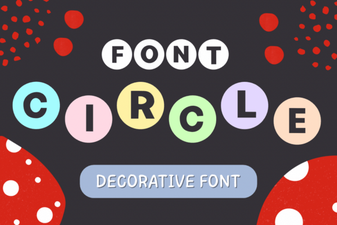 Creative Circle Font Design Ideas for Your Projects
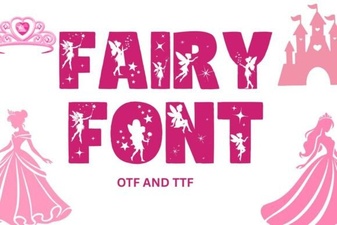 Fairy Font: Whimsical Typography for Creative Projects
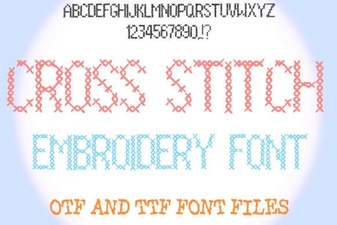 Creative Cross Stitch Embroidery Font Designs for Craft Projects
 Creative Soccer Font Designs for Sports Projects
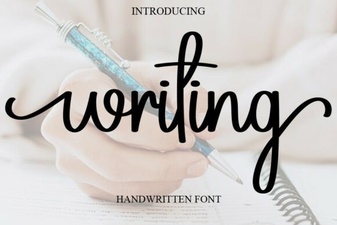 Creative Writing Font Ideas for Unique Projects
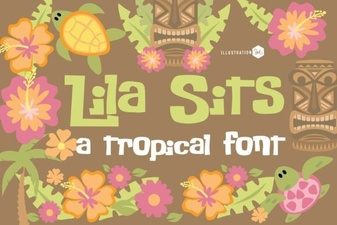 Pn Lila Sits Fn Font Design and Project Ideas